
Contents
-
⭐ Top Highlights✍️ Editor & Boxes🤖 AI & Language Courses📁 Folders & Calendar🎨 Design & Website📚 Tutorials & Training
⭐ Top Highlights5
1
Welcome to the Edumaps News
- Here you will find all new features since our last update from spring 2026. It is our biggest update yet, with over 30 improvements.
-
Read the news by category by scrolling down. Or use the button below to read each item in fullscreen.
2
📓 New map format “Journal”
-
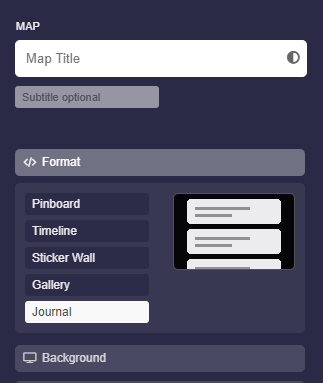
With the new Journal map format, content can be presented chronologically, like in a diary or blog.
-
- Ideal for class diaries, project documentation and learning journals
- Entries appear clearly arranged one below the other
- Selectable in the map settings under Format
-
This means several map formats are now available, including pinboard, gallery and journal.
3
🤖 New: Map analysis with AI
-
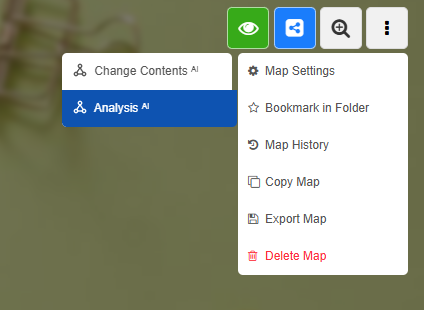
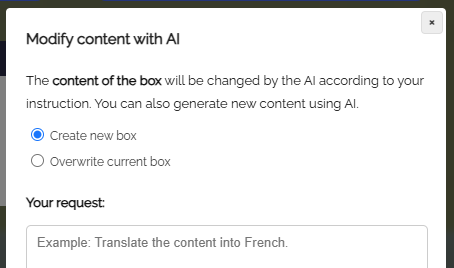
Have an entire map analyzed by AI. You will find the new feature in the map menu under Analysis (AI).
-
- Ask your own question or give a task related to the map
- The result can be inserted directly into the map as a new box
- Includes a checkbox to confirm that the map contains no personal data
-
Get summaries, feedback or ideas about your content in seconds.
4
🔁 Recurring calendar events
-
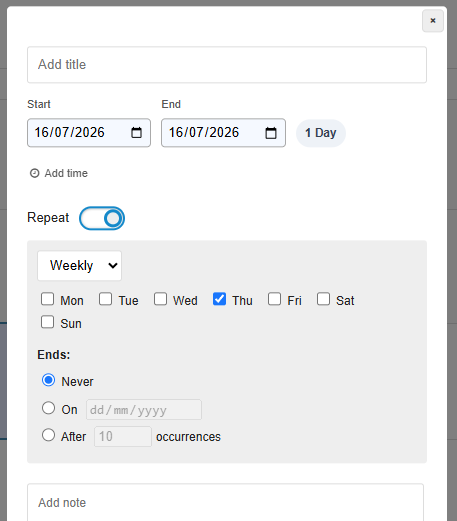
The calendar now supports recurring events. Events can repeat daily, weekly, monthly or at custom intervals.
-
Also new:
-
- Redesigned dialogs for creating and editing events
- Larger color selection for events
- File attachments directly on the event
-
Perfect for timetables, clubs and regular meetings.
5
🗑️ Trash for maps and files
-
Deleted maps and files now go to the trash and can be restored.
-
- New area for deleted maps
- Files from “My Uploads” are first moved to the trash
-
Accidental deletion is no longer a problem, as deleted items can be restored within 30 days.
✍️ Editor & Boxes6
6
✍️ Box editor completely revised
-
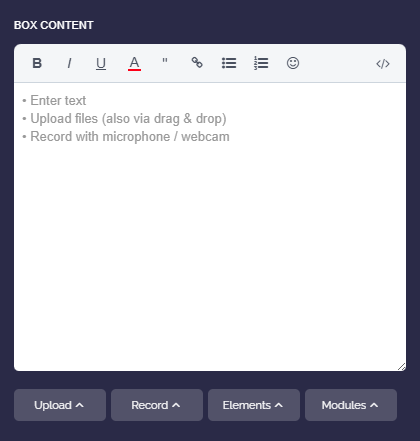
The box editor has been extensively reworked and is now even more convenient.
-
- New toolbar design with a clearer structure
- Links and uploads appear as fixed building blocks and can no longer be cut apart by accident
- New table syntax with uniform column widths
- New button for inserting anchor links
7
8
9
10
🤖 AI & Language Courses3
12
🌍 63 languages for AI language courses
-
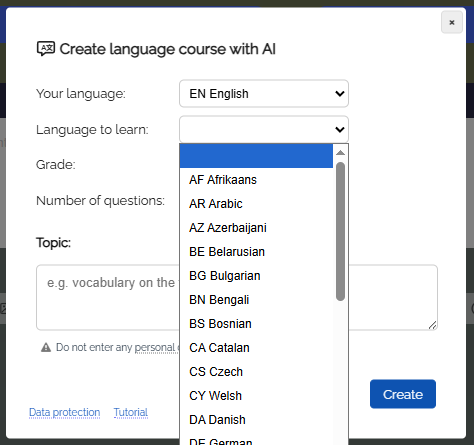
The language course module now supports 63 languages for AI creation.
-
Also new in the creation dialog:
-
- Selection by language levels (A1 to C1) in addition to grade levels
- Adjustable number of questions per lesson
- You can find sample courses at https://nrw.edumaps.de/p/educlass
13
🇬🇧 New English course with 101 lessons
-
An English course at level A1 with 101 lessons has been developed for Edumaps, built in the style of modern language learning apps.
-
- Interactive exercises with instant feedback
- Read-aloud feature for all content
- British English
-
Ideal as a supplement to English lessons or for self-study.
14
🎬 New animations during AI generation
-
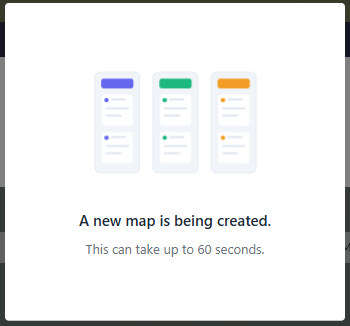
While the AI generates a map, a quiz, a language course or audio, animated graphics now show the progress. Waiting becomes much more pleasant and you can always see that the creation is running.
📁 Folders & Calendar5
15
📁 Major folder update
-
The folder features have been greatly expanded:
-
- Password protection for folders
- Custom background colors per folder
- New sharing mode, for example for the whole school
- Folder icons on the “My Folders” page
- Central Received area for shared folders
- Folders can be passed on to other folders
- Map links can be dragged and dropped into folders
16
📅 Central calendar (combined calendar)
17
18
19
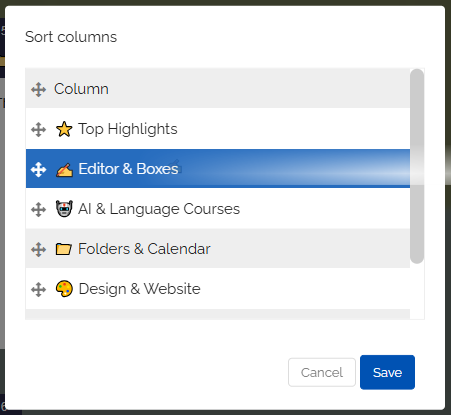
🧲 Sort columns
-
For maps with many columns, there is a new sorting dialog: several columns can be rearranged in a single step.
-
The column menus have also been expanded, including the option “Insert column to the right” and new sorting options.
🎨 Design & Website4
20
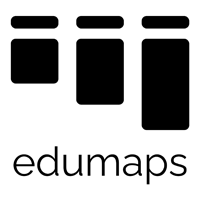
🎨 More modern Edumaps logo
-
Edumaps has received a modernized logo. The new design is clearer and looks even better on all devices and in all sizes. You can already find it on the website and gradually in all materials.
21
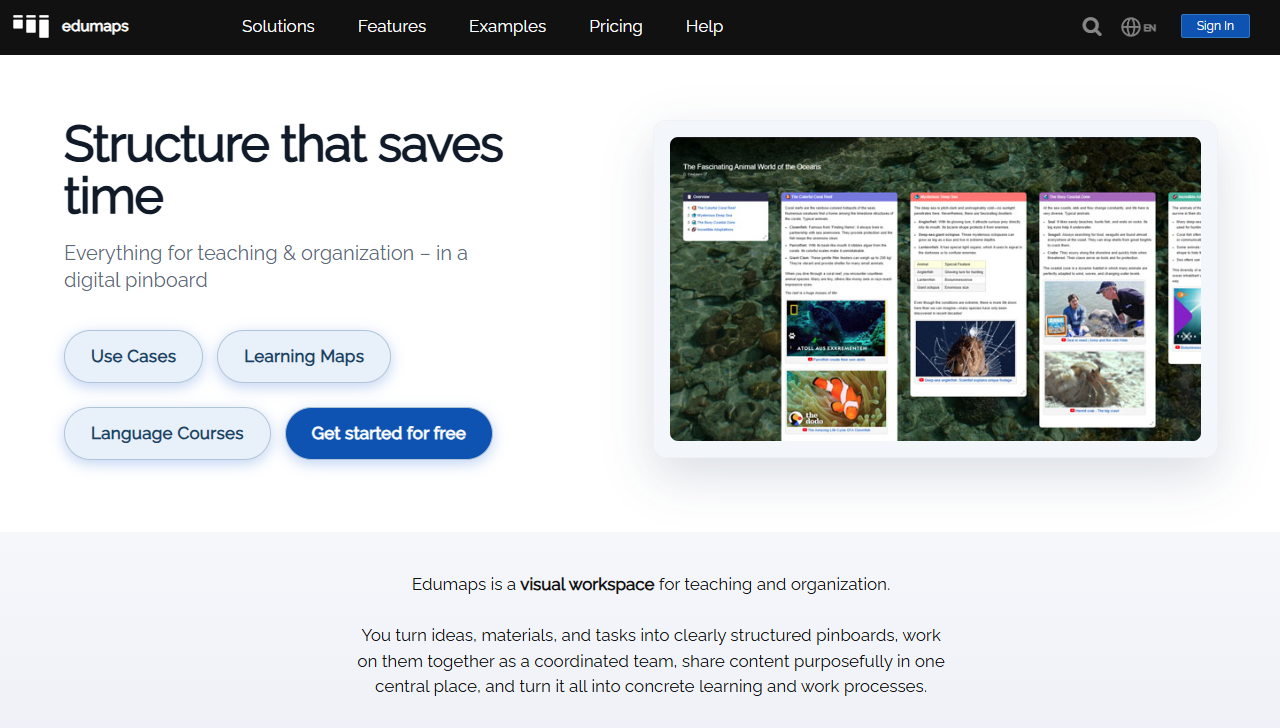
🏠 Fresh design for central pages
-
Many central pages have been redesigned:
-
- Start page with a new structure
- Dashboard in a new design
- Account page completely reworked
- New notifications page
- Public profile with a new look
22
🧭 New information pages per audience
-
The website now has dedicated pages for each audience:
-
- For schools:
https://nrw.edumaps.de/solutions/schools - For teachers:
https://nrw.edumaps.de/solutions/teachers - For school authorities and media centers:
https://nrw.edumaps.de/solutions/authorities - German as a second language:
https://nrw.edumaps.de/solutions/daz
- For schools:
-
The main menu has been restructured accordingly.
23
⚖️ New comparison pages
-
How does Edumaps compare?
-
New overviews compare Edumaps with various providers, each with a focus on features and data protection:
-
- Comparison of Edumaps and CryptPad
- Comparison of Edumaps and Duolingo for Schools
- Comparison of Edumaps and Fobizz
- Comparison of Edumaps and Kahoot
- Comparison of Edumaps and Miro
- Comparison of Edumaps and OneNote
- Comparison of Edumaps and Padlet
- Comparison of Edumaps and TaskCards
- Comparison of Edumaps and Trello
- Comparison of Edumaps and Wakelet
📚 Tutorials & Training3
24
📚 New step-by-step handbooks for beginners and for admins
-
For administrators, there is now a complete step-by-step handbook consisting of 36 tutorial maps. Everything is explained clearly, from setting up the school and managing users to the SSO integrations.
25
🎓 More new tutorial maps
-
New guides for all users:
- You can find all tutorials here.
26
👩 New directory of trainers
-
The website now features a directory of independent Edumaps trainers. Schools and media centers can find direct contacts for training courses there.
🔒 Security & More4
27
28
29